Quick Guide
- The captured match lobby supports four player seats and says everyone brings their own team. Friends in the same Tree Fort can use PLAY WITH OTHERS to join an open seat.
The captured match lobby supports four player seats and says everyone brings their own team. Friends in the same Tree Fort can use PLAY WITH OTHERS to join an open seat.
On this page
Read the host lobby
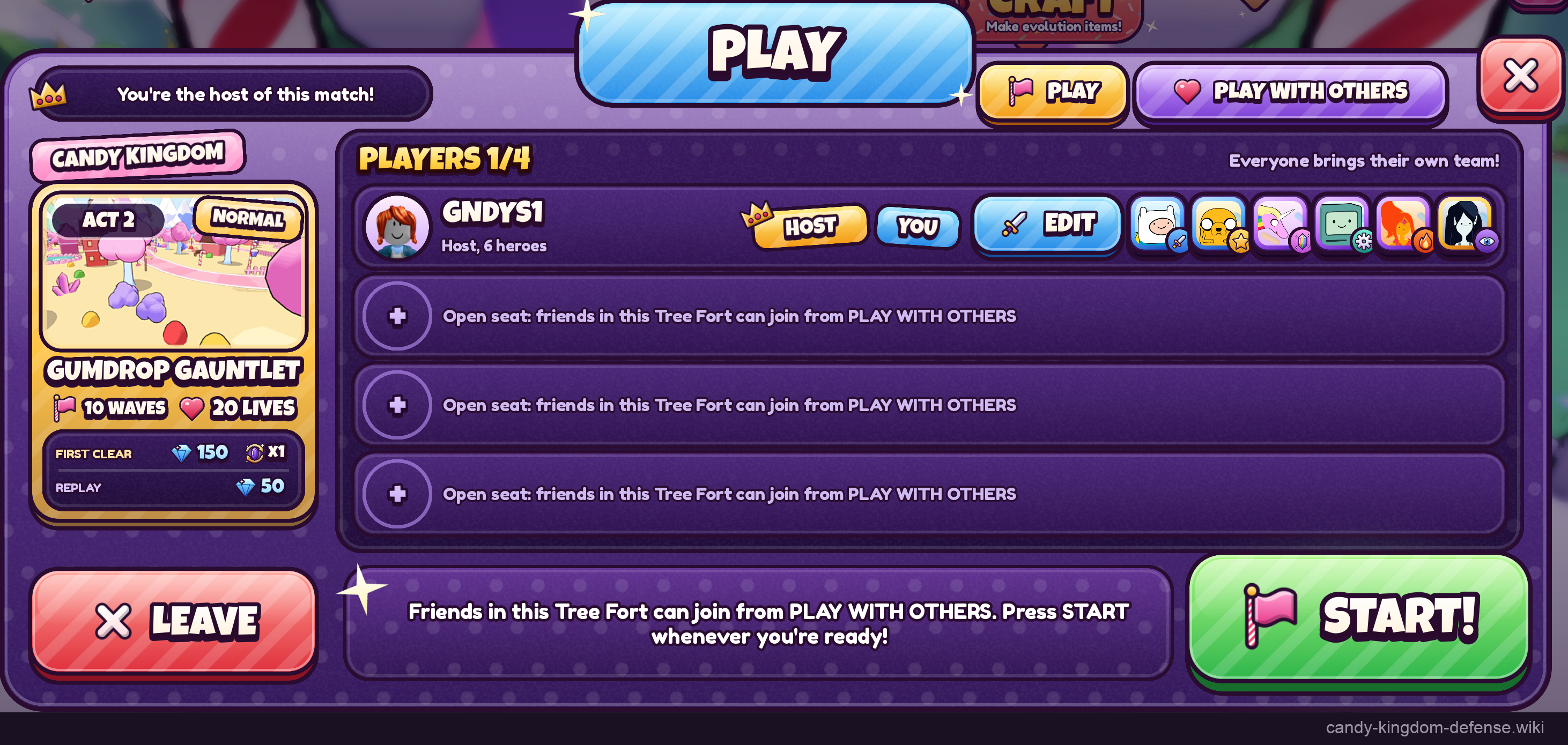
The recorded room says “You’re the host of this match!” and PLAYERS 1/4. The host has six heroes, with three open seats. The stage is Act 2 Normal, Gumdrop Gauntlet, with ten waves and twenty lives. Confirm the stage name as well as the seat count before starting.
Join through the displayed local prompt
The open-seat text tells friends in this Tree Fort to join from PLAY WITH OTHERS. Keep both players in the same Tree Fort when following that instruction. The screenshot does not establish cross-server invites, private-server requirements or a separate room code.
Each player brings their own team. The host’s six-hero display is not evidence that teammates borrow those heroes or that every participant has to use the same roster. Prepare your own team using the beginner team steps.
Host controls and the completion boundary
The lobby exposes START!, LEAVE and EDIT. Use these labels to distinguish starting, leaving and editing before a match. The available image still shows one player and the start button; it does not demonstrate a completed four-player run or establish co-op reward scaling. The selected stage details are in Gumdrop Gauntlet.
Lich Portal uses a waiting party
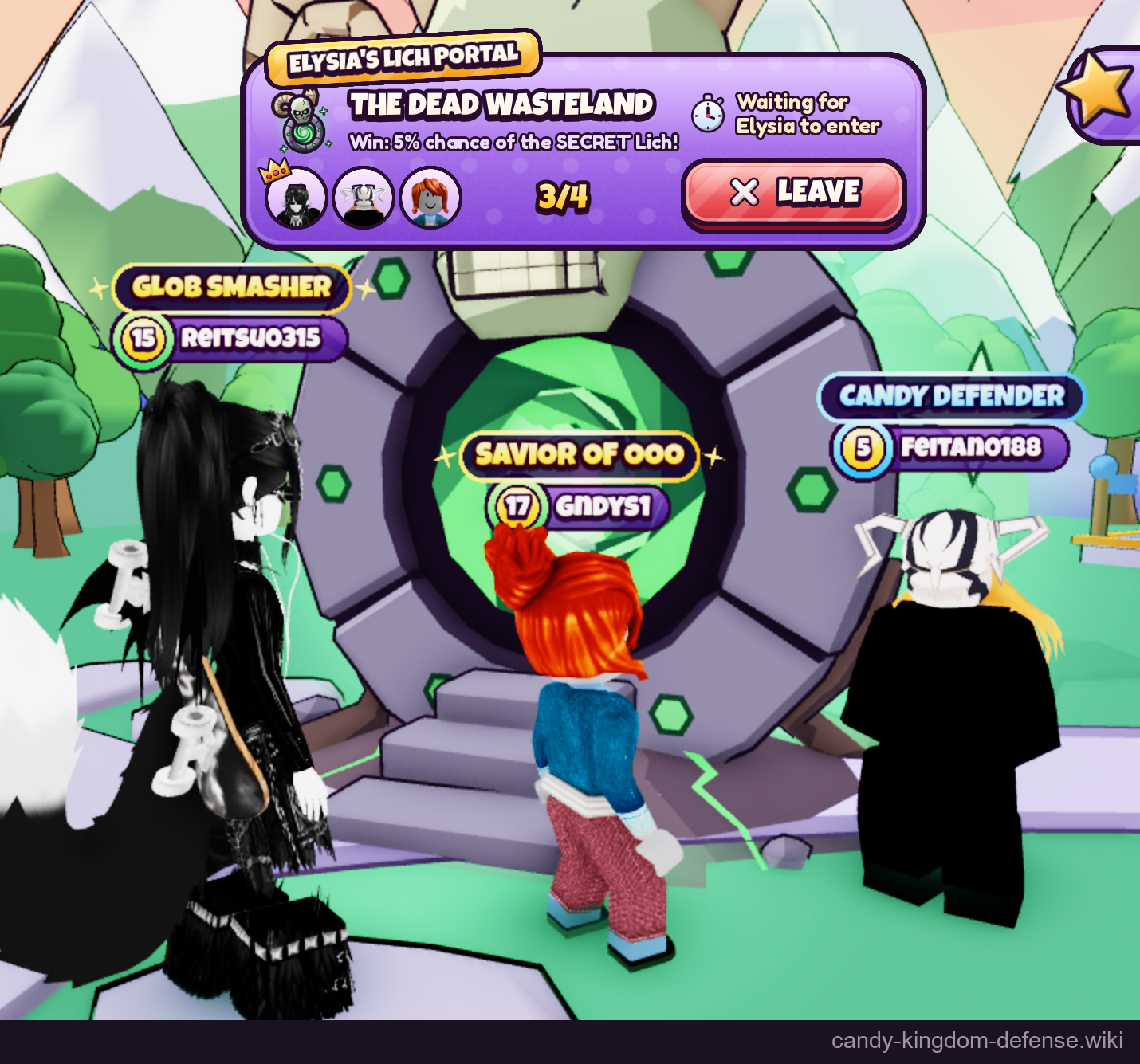
The Lich Portal room is another documented party screen: 3/4 players, an owner crown, a wait-for-owner message and LEAVE. It is separate from the story-stage host screen above. The capture establishes a joined portal party, not a tested cross-server invitation method, a successful four-player start, or a shared reward multiplier.
Sources
Reviewed:
Player screenshot samples; client build unknown.
Player screenshots reviewed 21 October 2026. Client version unknown; costs, rewards and rates are the captured interface values. Evolution and purchase previews are not completed transactions.